
Description
Description
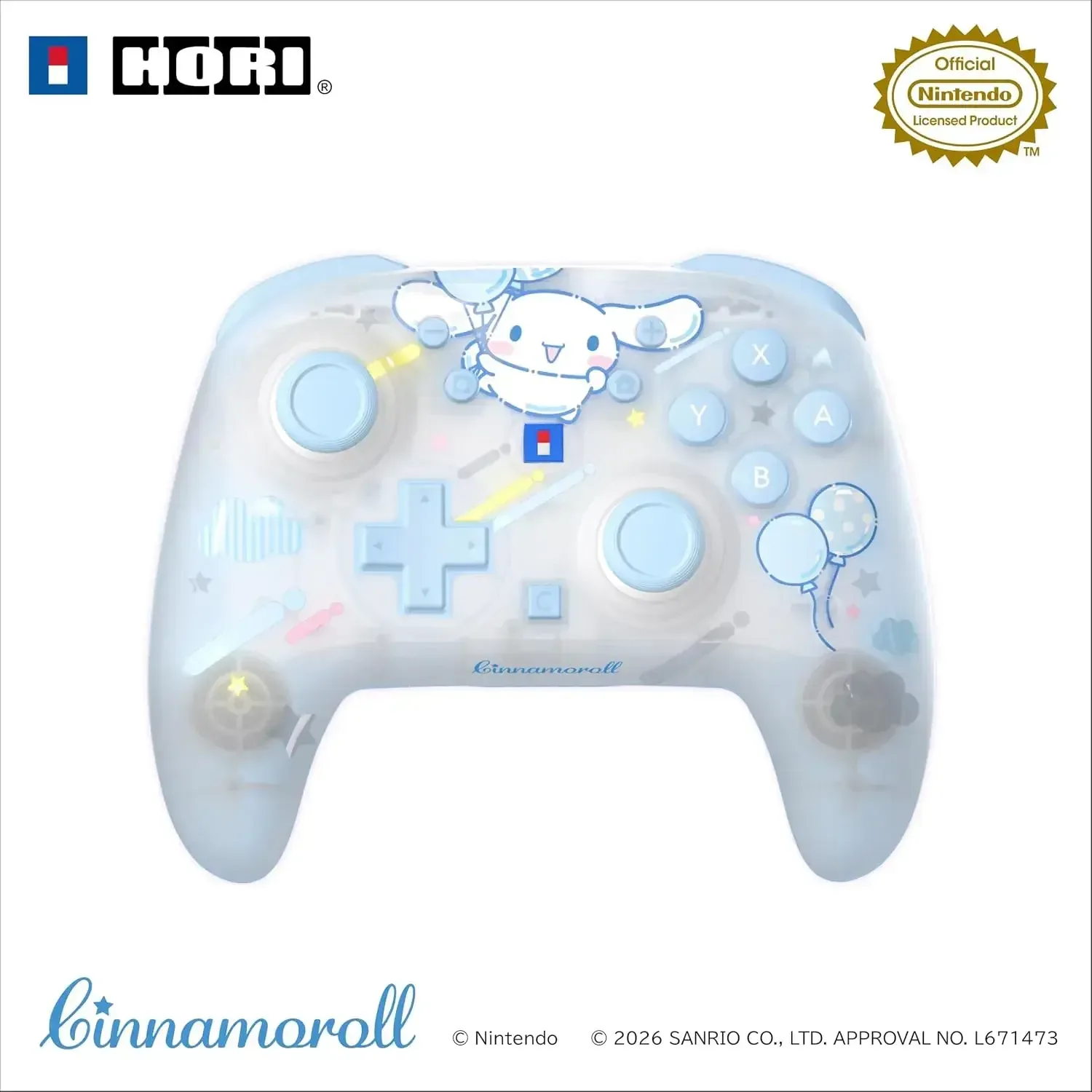
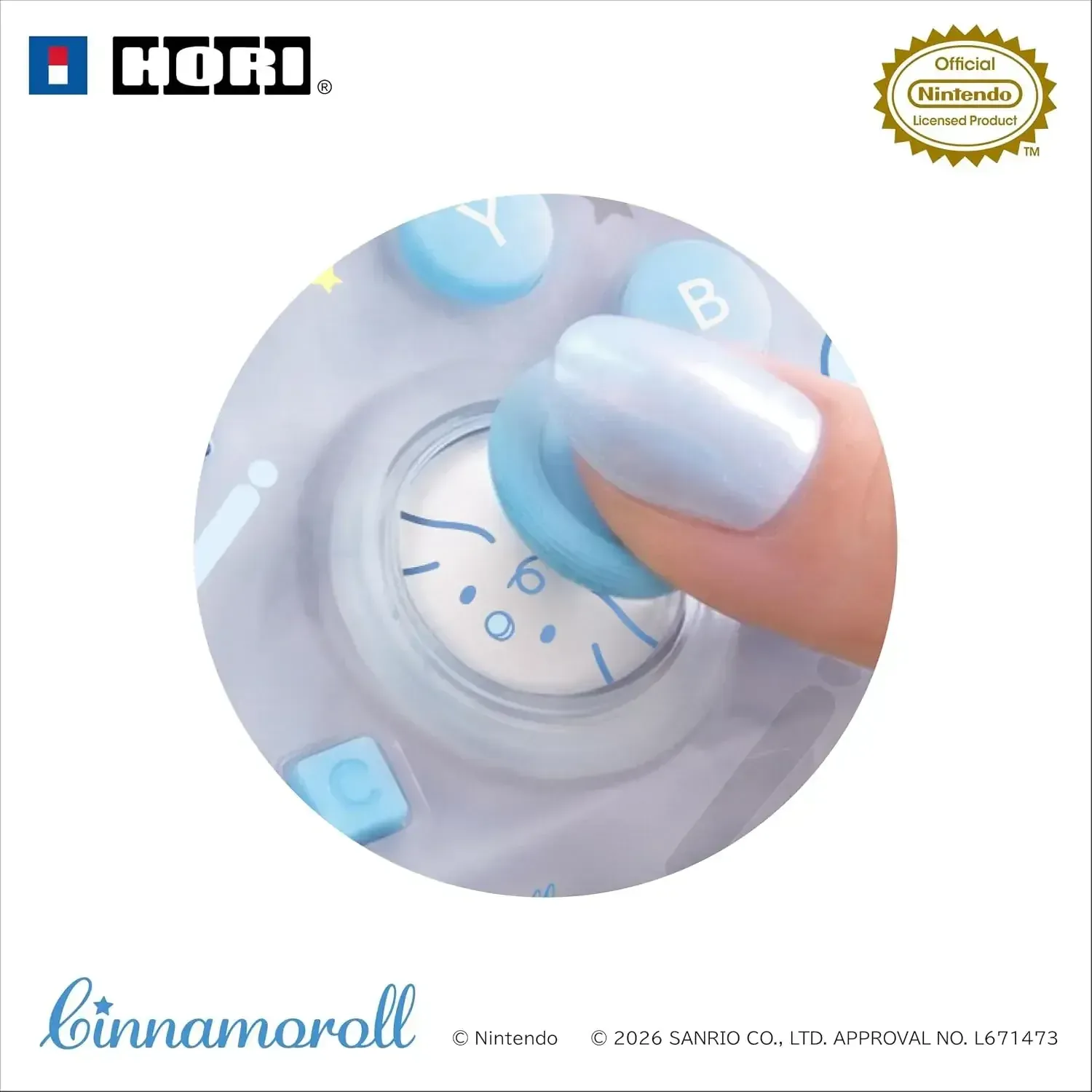
The Hori Wireless HORIPAD TURBO Nintendo Switch 2 Controller combines responsive performance with an adorable Cinnamoroll design. High-precision, durable TMR sticks provide reliable control, while Bluetooth 5.0 enables convenient wireless play. Its skeleton-style body creates a distinctive appearance, and the included USB cable makes recharging simple.
Made for Nintendo Switch 2, Nintendo Switch, Nintendo Switch Lite, and Nintendo Switch OLED Model, this controller is suitable for players of every age. Move the sticks to reveal Milk peeking out for a playful surprise during your gaming sessions. It delivers approximately 10 hours of continuous use and a wireless range of up to 10 meters, allowing comfortable play without a cable.
Details
• Product Material: Plastic
• Manufacturer: Hori
• Made in: China
Features
Bluetooth 5.0 wireless controller connectivity
Precise, long-lasting TMR control sticks
Cinnamoroll styling with a unique skeleton-style body
Milk becomes visible when the control sticks are moved
Charging requires approximately 3 hours
Approximately 10 hours of continuous operation, depending on usage conditions
Wireless communication reaches up to approximately 10 meters, depending on the environment
Works with Nintendo Switch 2, Nintendo Switch, Nintendo Switch Lite, and Nintendo Switch OLED Model
Includes one USB Type-A to USB Type-C charging cable measuring approximately 2 meters
Designed for players of all ages
Does not provide vibration, amiibo reading and writing, a headphone or microphone jack, or sleep-wake functionality
Wireless communication only; wired operation and PC use are not supported
How to use
Connect the controller to a compatible Nintendo Switch console wirelessly through Bluetooth. Recharge it with the supplied USB Type-A to USB Type-C cable; a full charge takes approximately 3 hours. For Nintendo Switch 2 use, update the console system to its newest version through an internet connection. Operate this controller only with supported Nintendo Switch systems, as PC use and wired communication are unavailable.
Care instructions
Recharge the controller with the included cable, and keep both the controller and cable stored securely when not in use. Treat the control sticks and body with care while playing. Do not connect it to a PC or operate it as a wired controller, and remember that battery duration and communication distance may vary with the usage environment.